Account & Garage
Sign up
Taawn is in alpha/beta. Sign up in the Android app or on the website with email/password or Google/Apple. Password signup requires a personal invitation code from Taawn (usually an 8-digit code sent by email after you apply for Alpha access). Each code works once and sets your initial tier (Free or Premium). Shared batch codes may still be used for special invites.
Garage — bikes
You need at least one bike in your Garage before creating an activity.
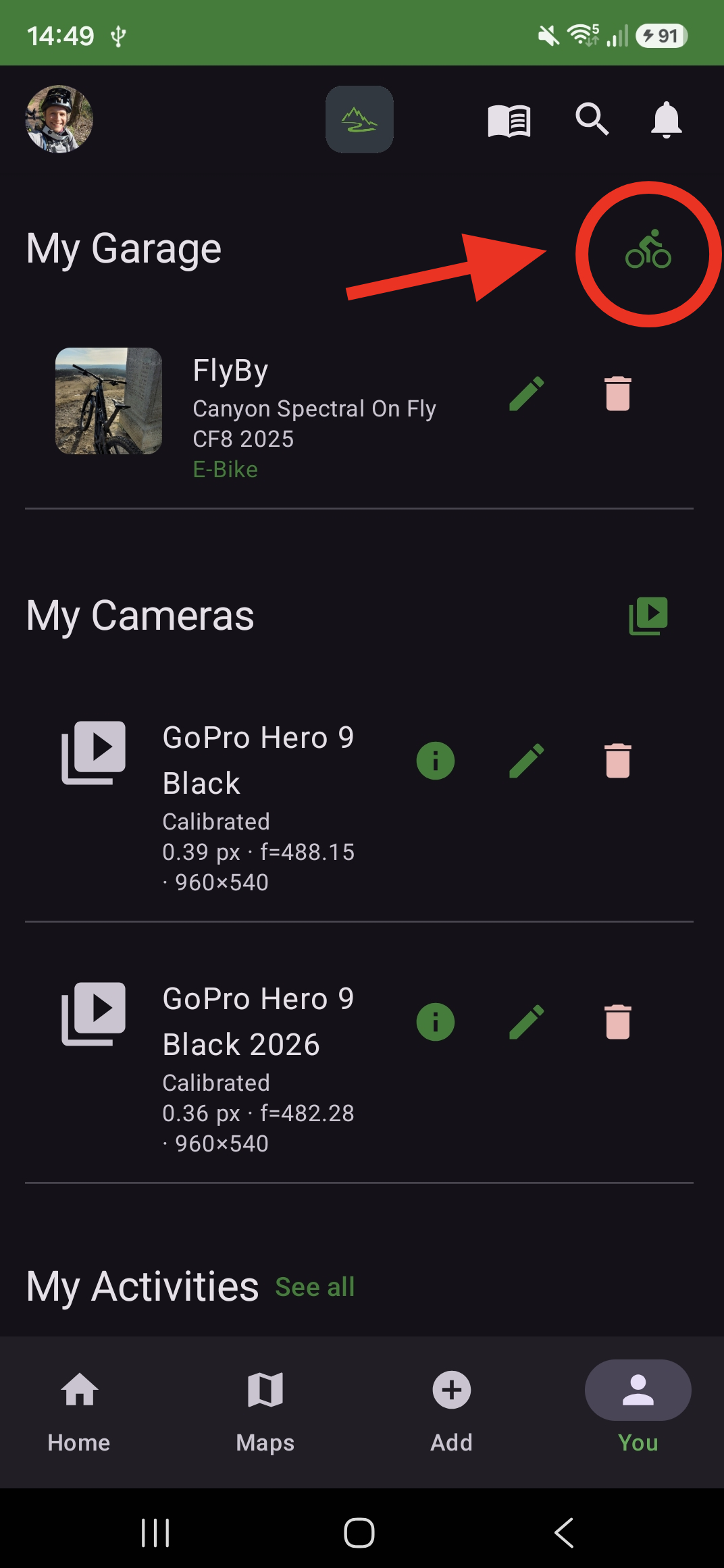
- Open You → My Garage
- Tap the bike icon (top right) to add a bike — name, brand, model, year, MTB or e-bike
- Select this bike when creating an activity (sets activity type for the server)
Step 1 / 3
You → My Garage — tap the green bike icon (top right) to add a bike
Use the arrows or dots to move through the steps
Garage — cameras
Register and calibrate the GoPro you use for segments and runs. Calibration is required for 3D reconstruction and 3D run alignment.
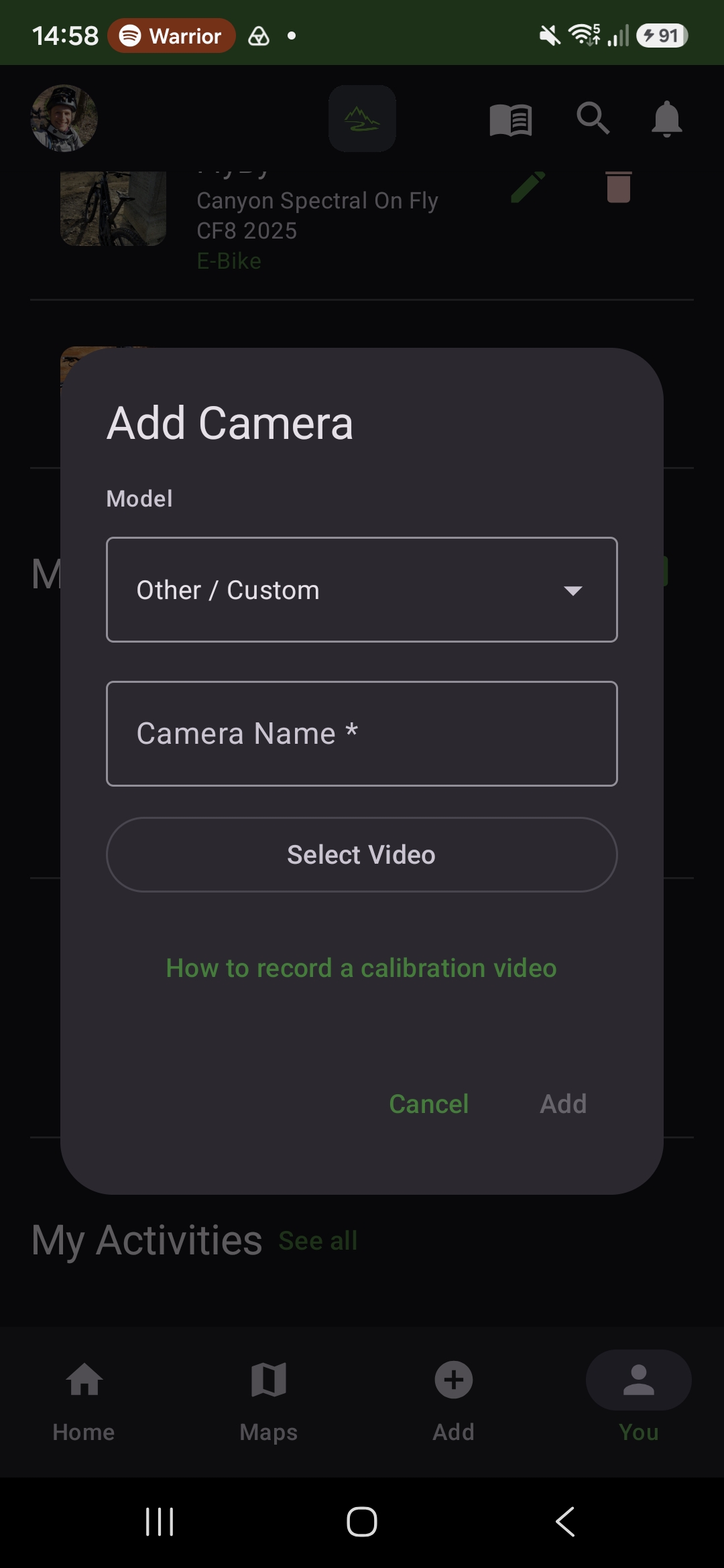
- Open You → My Cameras and tap the camera icon to add a camera
- Select your model and enter a name
- Tap Select Video and pick a checkerboard calibration clip from your phone (see Camera calibration)
- Wait for frame extraction and calibration, then tap Add
Supported models include GoPro Hero 9 Black through Hero 15 Black (and Mini variants).
Step 1 / 6
Add Camera — select your GoPro model (Hero 9–15, Mini, or Other / Custom)
Use the arrows or dots to move through the steps
Recording the calibration video
See Camera calibration in the sidebar for how to film the checkerboard clip. During beta you can also contact support if you need help with a specific GoPro model.
Profile & settings
Most account customization is on the Home feed screen path: open You → User Settings (mobile) or Settings (web). There you can change:
- Profile picture — upload, crop, or remove
- Privacy — private account toggle
- Notifications and leaderboard demographics
- Language (web) and legal documents
See Home feed for a full walkthrough with screenshots. Garage bikes and cameras remain under You → My Garage below.